
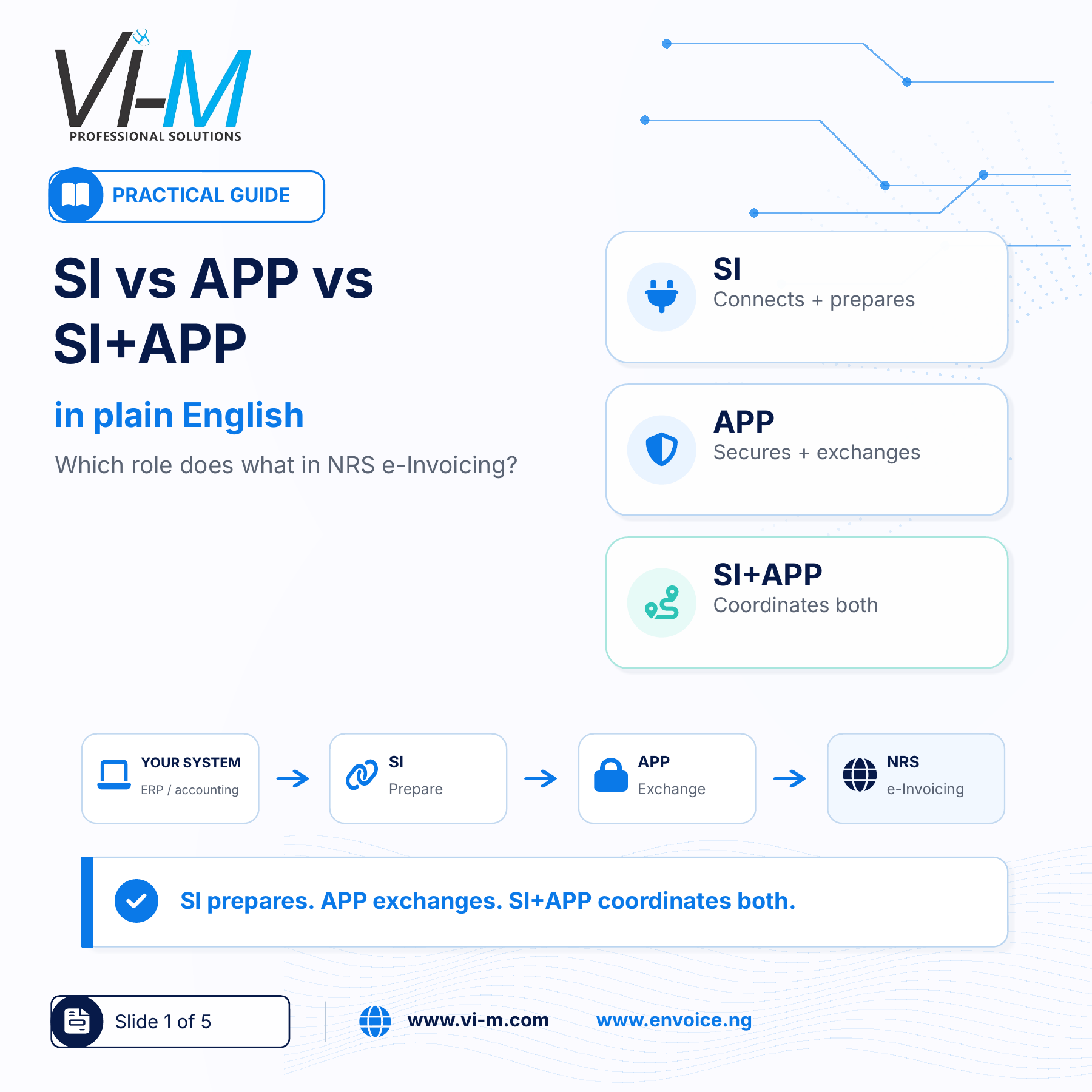

As businesses prepare for NRS e-Invoicing, one of the most common sources of confusion is the terminology around System Integrators (SI), Access Point Providers (APP) and the combined SI+APP model.
For finance, tax and business teams, the important question is not simply what the acronyms stand for.
The more useful question is:
What role does each one play in getting your invoices from your existing business system into the regulated e-Invoicing environment?
Start with your existing invoicing system
Your business may currently issue invoices through an ERP, accounting software, CSV upload process or a manual invoicing platform.
That existing environment is the starting point.
From there, the e-Invoicing journey requires two broad sets of functions:
1. Preparing and connecting your invoice environment
2. Securely exchanging compliant invoice information
This is where the SI and APP roles come in.
What does a System Integrator do?
A System Integrator, or SI, helps connect your ERP, accounting software or invoicing process to the e-Invoicing environment.
In practical terms, the SI helps with three important areas:
Connecting the business system
The SI works with the source of your invoices, whether that is an ERP, accounting software, CSV upload process or another invoicing system.
Preparing and mapping invoice information
It helps align the invoice, customer, tax, item and adjustment information needed for compliant e-Invoicing.
Checking and validating invoice data
The SI helps ensure that the invoice information is complete and properly structured before it moves to the next stage.
In simple terms: The SI connects, prepares and validates your invoicing environment so that it is ready for e-Invoicing.
What does an Access Point Provider do?
An Access Point Provider, or APP, supports the secure exchange stage after the invoice information has been prepared.
Its role includes:
Secure signing and exchange
The APP supports the signing or authentication stage and prepares compliant invoice information for secure exchange.
Transmission and status responses
It transmits compliant invoice information and returns responses so businesses can track progress, status and exceptions.
Payment-status updates
It also supports required payment-status updates and other ongoing exchange actions within the e-Invoicing process.
In simple terms: The APP supports secure signing, transmission, responses and payment-status updates after the invoice is ready.
What does SI+APP mean?
The SI+APP model simply brings both functions together in one coordinated implementation.
The SI side handles:
- connection to your invoicing system
- preparation and mapping of invoice data
- validation of invoice information
- getting invoices ready to move forward
The APP side handles:
- secure signing or authentication
- transmission of compliant invoices
- return of statuses and responses
- payment-status updates
For the business, the benefit is a more coordinated path from system preparation and validation through secure exchange and ongoing status updates.
It can also reduce hand-off gaps and make responsibility clearer throughout implementation.
Which route does your business need?
Before choosing an implementation route, your business should ask:
- How do we currently issue invoices?
- Are our customer, tax, item, credit note, debit note and payment fields ready?
- Do we need help connecting, preparing and validating our invoice information?
- Do we need support for secure signing, transmission, responses and payment-status updates?
- Would one coordinated SI+APP provider make implementation and ongoing compliance easier?
These questions are more useful than simply asking whether your business “needs an SI or an APP.”
Where Vi-M / eNvoice fits
Vi-M / eNvoice is positioned to support both SI and APP functions, with practical pathways for businesses using ERP systems, accounting software, CSV upload processes or direct platform invoicing.
The right approach begins with understanding your current invoicing environment and identifying what needs to be connected, prepared, validated, transmitted and monitored.
Explore implementation: www.envoice.ng